
Building Customer Support with a sub-1B Small Language Model that Beats GPT-5.4 (Part 1)
Small Language Models occupy a sweet spot in speed and cost between frontier LLMs and BERT models for a wide range of NLP tasks

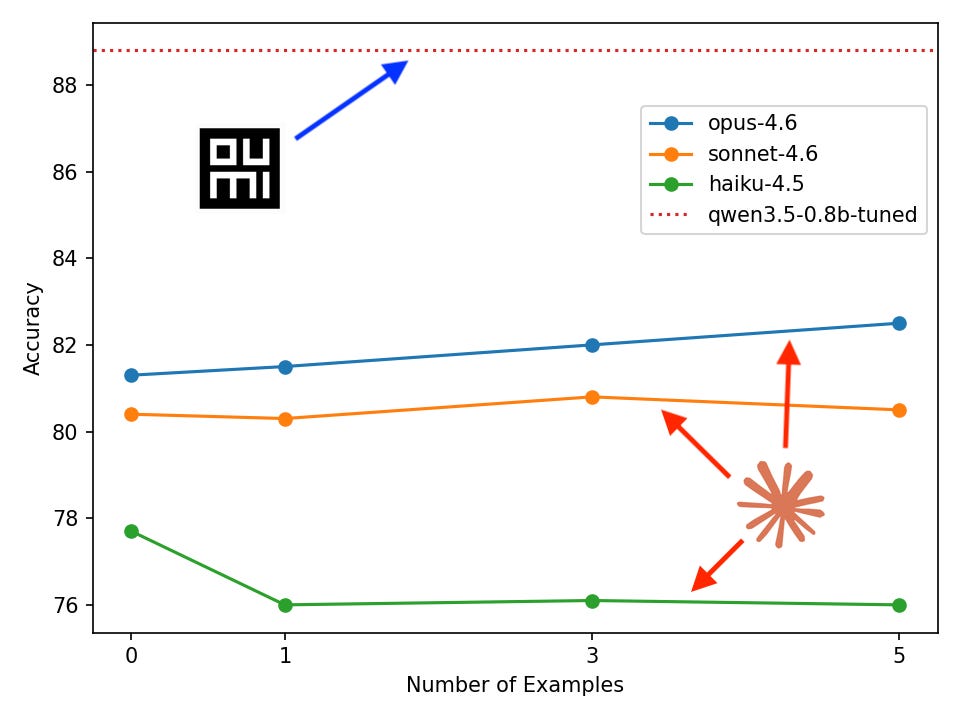
We trained a 0.8B-parameter model that classifies customer support tickets more accurately than GPT-5.4 and Claude Opus 4.6 — by 6.3 and 8.4 points respectively. It runs on a laptop, costs one hour and few dollars to train, and we wrote no ML code to build it. Here's how.
In this blog series, I’ll show you how to train a custom small Language Model (SLM) for triaging customer support queries that outperforms large frontier LLMs from providers like OpenAI and Anthropic. We’ll do it using the Oumi Agent + Claude Code by strictly prompting, that is, no coding at all! Our starting point will be a task description and a dataset, and the end result will be locally- and cloud-deployed customer support AI voice agents.
The blog will be split over three parts:
Part 1: We’ll fine-tune and evaluate our customer support model using Oumi’s no-code Platform, comparing accuracy to frontier-model baselines. Also, we’ll examine the effectiveness of in-context learning relative to fine-tuning.
Part 2: We’ll integrate our model into voice agents running locally and in the cloud. For the cloud agent, we’ll build our agent with Pipecat and online services. For the local agent we’ll use Mistral’s Voxtral Mini Realtime for SoTA streaming speech-to-text, and Voxtral TTS for industry-leading text-to-speech.
Part 3: We’ll discuss how to quantify the cost and latency savings for model inference for a fine-tuned SLM relative to a frontier LLM and give a detailed analysis of the “pareto frontier” of inference cost and model size.
So stick around to find out why SLMs are an excellent choice for building robust, performant NLP solutions and how you can easily build them with Oumi’s VibeML™ (trademark currently satire-only).
Background
A common task that comes up in customer support systems that seems ripe for automation is predicting what the user is asking for based on their query. Imagine that a customer phones your support line and is asked what their reason for calling is before it is triaged to the correct person or department. We’ve all been there when calling, for example, your bank’s support line. Alternatively, imagine a customer sends an email to your support address and it needs to be correctly classified for triage—this is a task that has come up at Oumi, actually. How could we automate this problem?
Let’s put the problem into Machine Learning terminology: We need a classifier that inputs a sentence, i.e., an arbitrary-length sequence of natural language (“my bank card hasn’t arrived yet”) and predicts an intent category (“card arrival”). We may have a list of categories in advance, devise them on-the-fly, or perform some combination of the two.
Building a classifier with an LLM has several advantages. First, it is a very general purpose sequence-to-sequence model on natural language. This covers an enormous range of applications, including ours of inputting a user query and outputting an intent label. Second, it has undergone training on massive data, literally trillions of words gathered from the internet and other sources. In addition to that, LLMs have undergone further training to imbue them with human-like preferences for conversation and skills like coding and common-sense reasoning. What this means is that we can perform very effective “transfer learning” to a diverse range of real-world tasks.
One approach to build a LLM classifier is to prompt a general purpose frontier-model. We can take, for example, GPT-5.4, and prompt with:
“You are a customer support agent for a bank. The labels are: … Here are some examples: … Your output should be formatted like: …”
Another approach is to fine-tune an SLM for classification. Any open-weight LLM can be fine-tuned, however there is a tradeoff between model size, inference cost, and improvements in accuracy and other metrics. For most tasks, it suffices to fine-tune a SLM (< 10B parameters) rather than a frontier-size open-weight LLM (100B+ parameters).
Oumi Platform
In this post, we’ll use the Oumi Platform to fine-tune an SLM classifier. But what exactly is it? We like to describe it as AI that builds your AI.
The Oumi Platform is a web UI plus an agentic harness for developing custom AI models. As Claude Code is to software development, the Oumi Platform is to AI model development. This will be made concrete throughout the remainder of the article as we see it in action.
You can sign up for free at https://platform.oumi.ai and we offer free credits to get you started. Come with a prompt, leave with downloaded model weights ready to deploy however you see fit.
Method
Task
Each product is different from the next, and so it naturally involves a different population of user queries and user intents to classify for customer support. On the one hand, this means that it is difficult to produce a representative benchmark across models, but on the other hand it is an excellent candidate for a custom AI solution. For this article, we will focus on customer intent classification in a banking scenario using the following dataset.
Data
The customer support dataset we’ll be evaluating and training on is called banking77 (https://huggingface.co/datasets/PolyAI/banking77). It was introduced in the paper “Efficient Intent Detection with Dual Sentence Encoders” for research purposes and contains roughly 13k samples of the form, for example:
{
  ‘label’: 11, # integer label corresponding to “card_arrival” intent
  ‘text’: ‘I am still waiting on my card?’
}
The text corresponds to the user query we would like to classify and there are 77 intent classes, examples of which are: activate_my_card, contactless_not_working, and verify_my_identity.
VibeML with the Oumi Agent
Set up our project
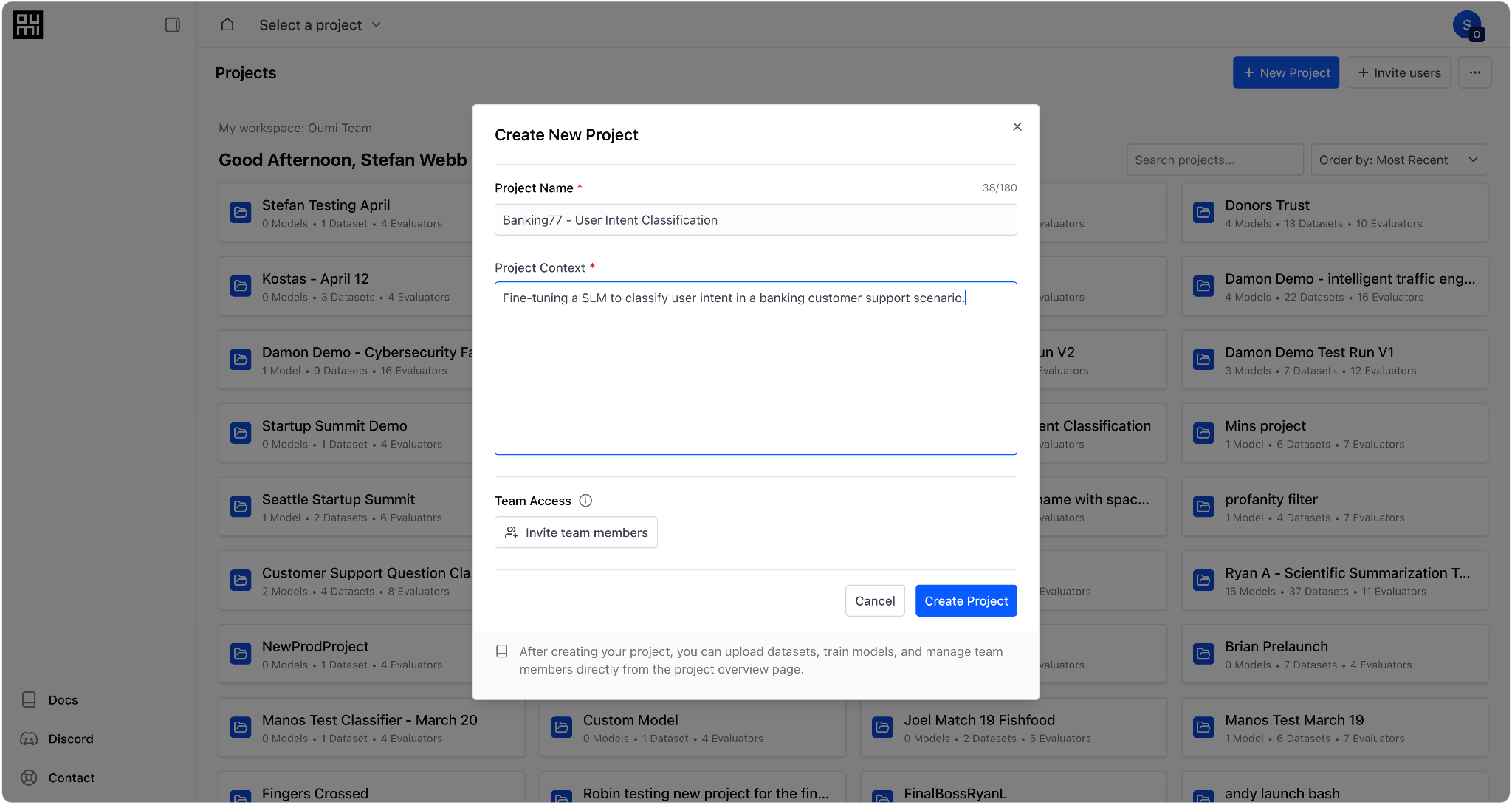
First steps first, we’ll log in to the Oumi Platform and create a project called “Banking77 - User Intent Classification” to keep all of our resources together:
Preprocess data
Now, switching over to VS Code, I’ve created a new workspace called “banking-with-oumi”. We’ll use it to store any scripts required for tasks outside of Oumi like the data pre-processing and local inference on the final model.
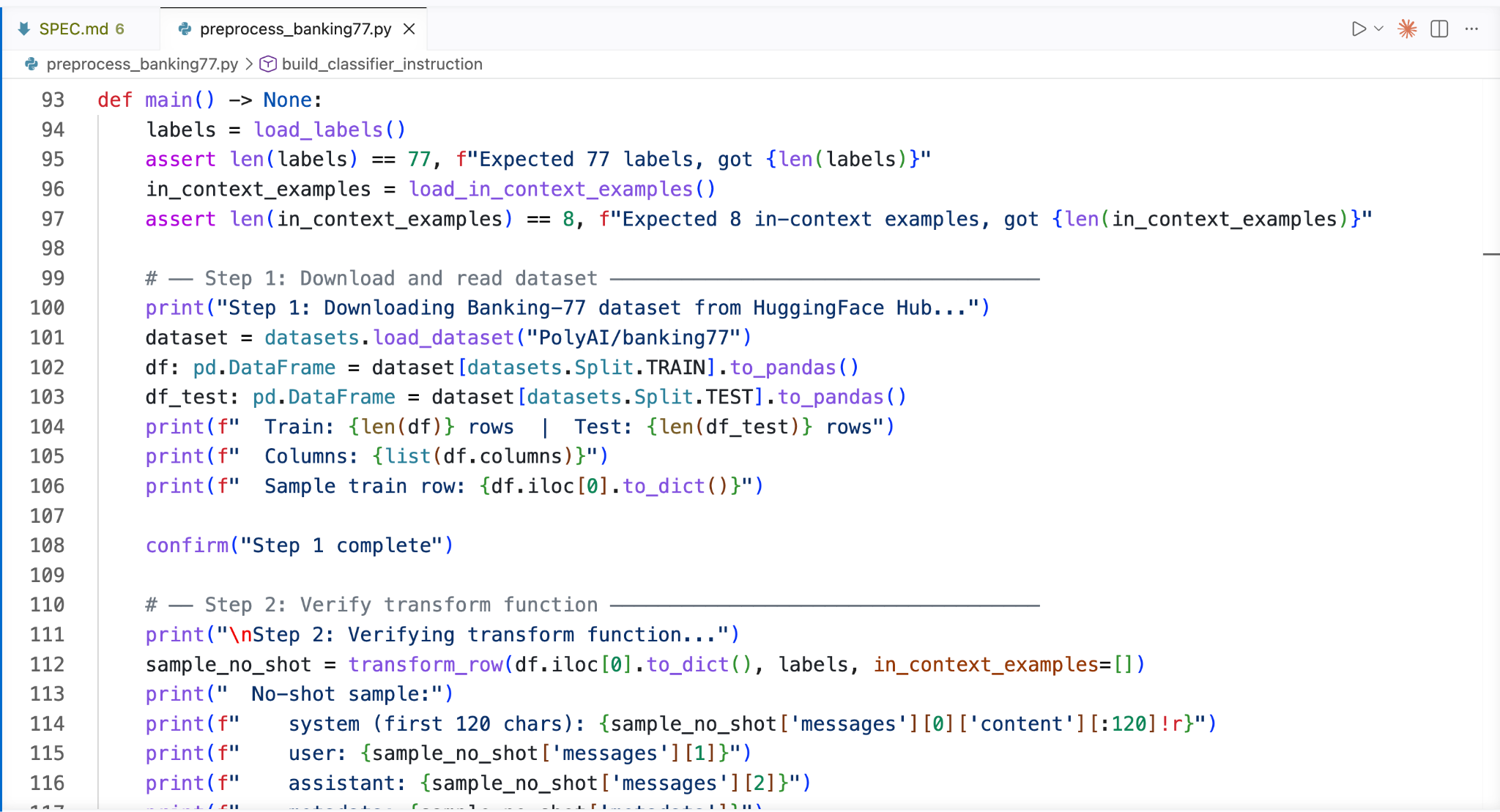
Our data needs a little preprocessing before it is in the correct format for Oumi. I vibe-coded a Python script to download the original data from HuggingFace, add an instruction for the output format, optionally add a few examples for in-context learning, and format correctly for Oumi (link to code in the Resources section):
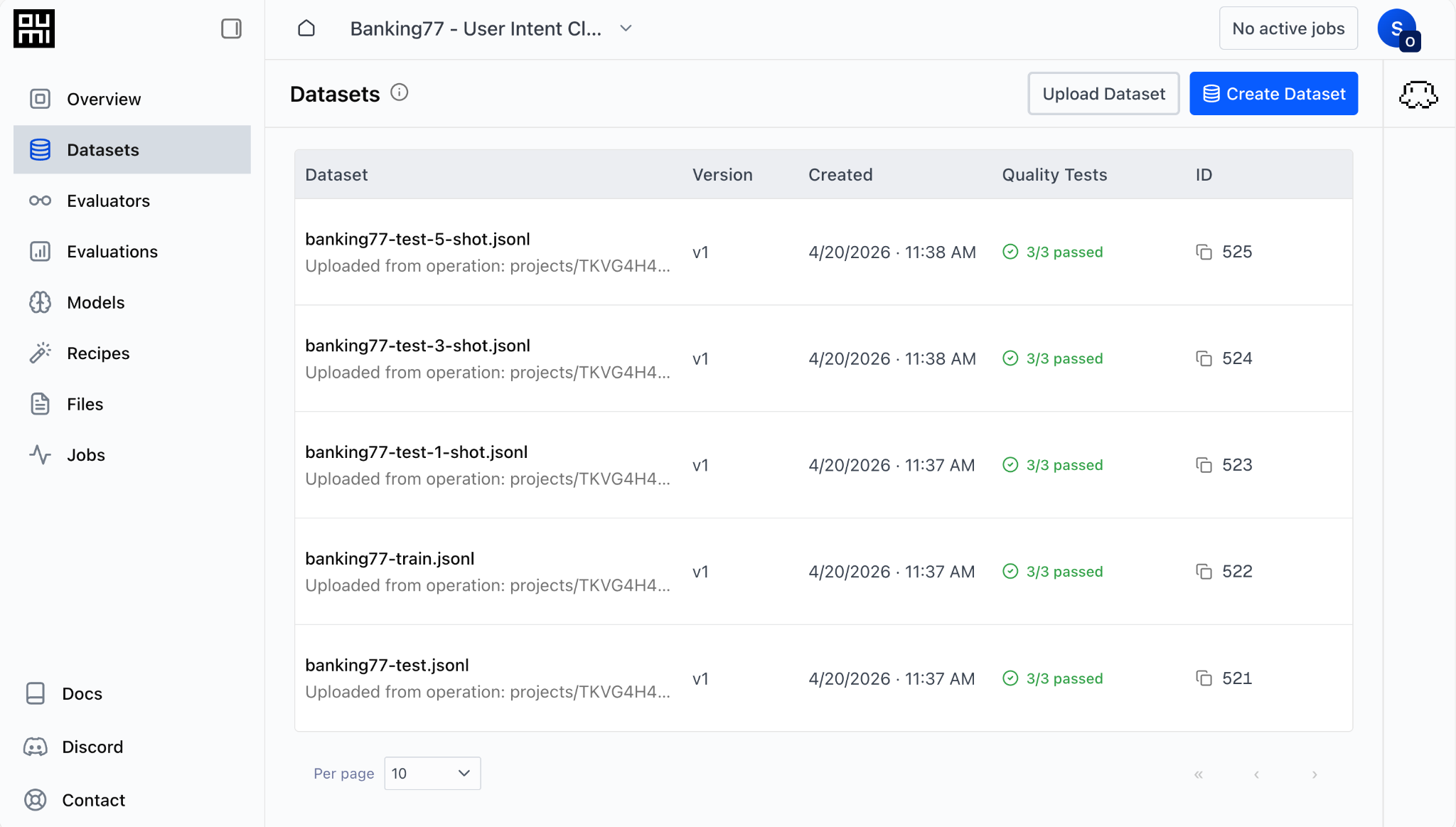
I saved the following datasets, the meanings of which should be self evident:
banking77-test.jsonl
banking77-test-1-shot.jsonl
banking77-test-3-shot.jsonl
banking77-test-5-shot.jsonl
Banking77-train.jsonl
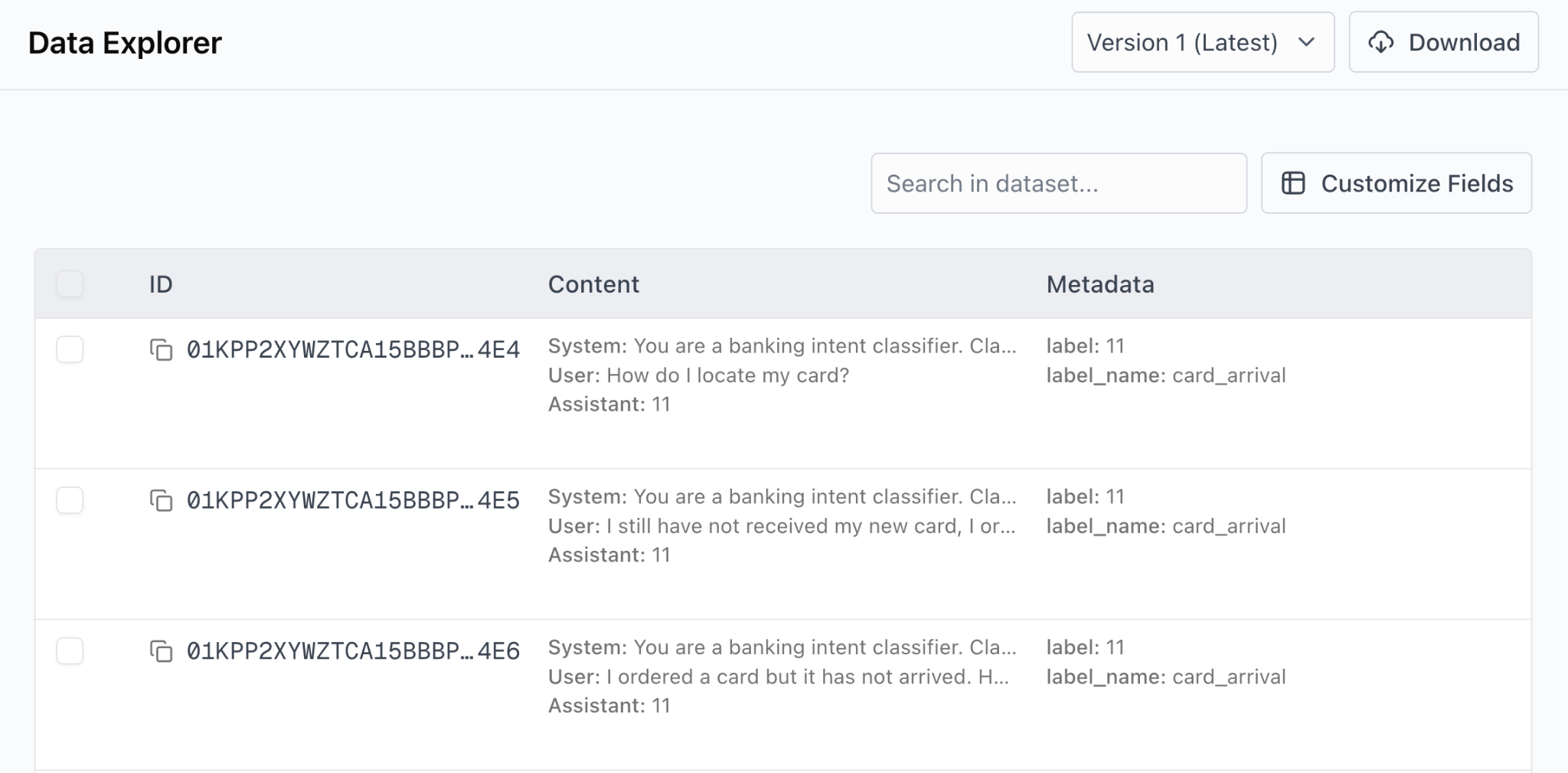
Here’s an example of a few sample from the processed data, viewing in the Oumi Platform’s Data Explorer:
Upload datasets
Let’s go over to the Datasets tab and upload the datasets. We click “Upload Dataset” and attach the files produced by our pre-processing script. After doing so, the Datasets tab looks like this:
Model Selection and Fine-tuning
Our baseline models will be the two currently most powerful frontier models: GPT-5.4 from OpenAI and Opus-4.6 from Anthropic. In addition, we’ll use Qwen3.5-4B as a baseline to determine the improvement in learning from performing fine-tuning. Our models for fine-tuning will be Qwen3.5-{0.8B, 2B, 4B, 9B}. This allows us to examine the trade-off between model size and accuracy when performing fine-tuning. All of these models are available from the Oumi Platform after providing our API keys for OpenAI and Anthropic.
I omit details of the model fine-tuning as it is a straightforward prompting of the Oumi Agent: you can ask it, for example, “finetune Qwen3.5 on the test set”, and it will go through the entire fine-tuning process, asking clarifying questions where required and launching the job. We’ll see an example of this for evaluation in the next section. Alternatively, you can launch fine-tuning via a simple dialog window in the platform’s web UI.
Evaluation
How should we define our evaluation metrics to determine baselines and the relative performance of our models?
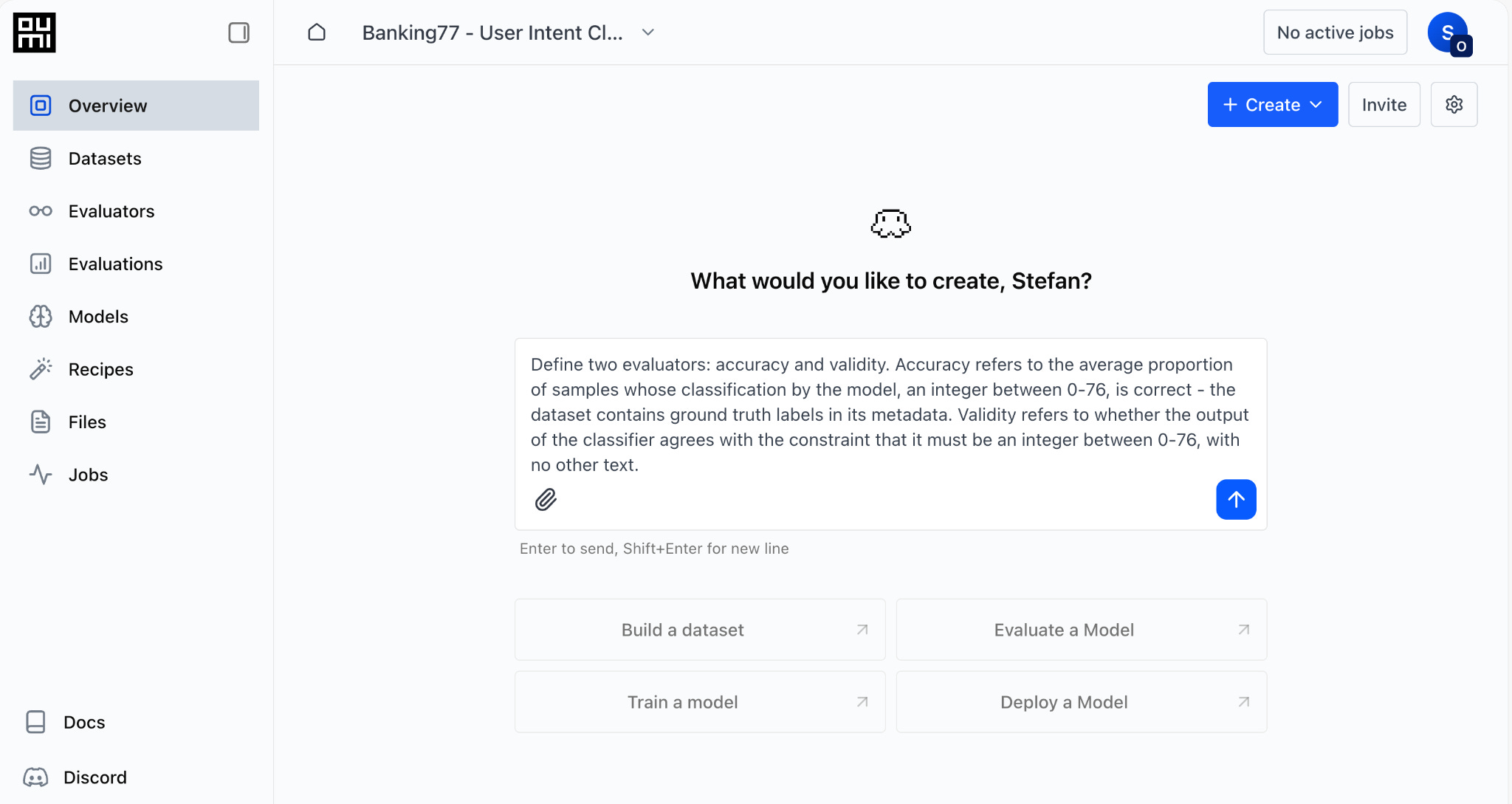
We will use two metrics: accuracy and validity. Accuracy refers to the average proportion of samples whose classification by the model is correct; if you recall the dataset contains ground truth labels. Validity refers to whether the output of the classifier agrees with the constraint that it must be an integer between 0-76, with no other text. This is important as the models we are using are general-purpose sequence-to-sequence models and output unconstrained natural language.
Both metrics can be easily created as LLM-as-a-Judge evaluators by prompting the Oumi Platform’s Agent. We navigate to the Overview tab of our project and enter the following prompt. Importantly, the prompt contains domain knowledge that is otherwise inaccessible to the Agent.
The Agent asks clarifying questions as needed, such as which model to use for the LLM judge:
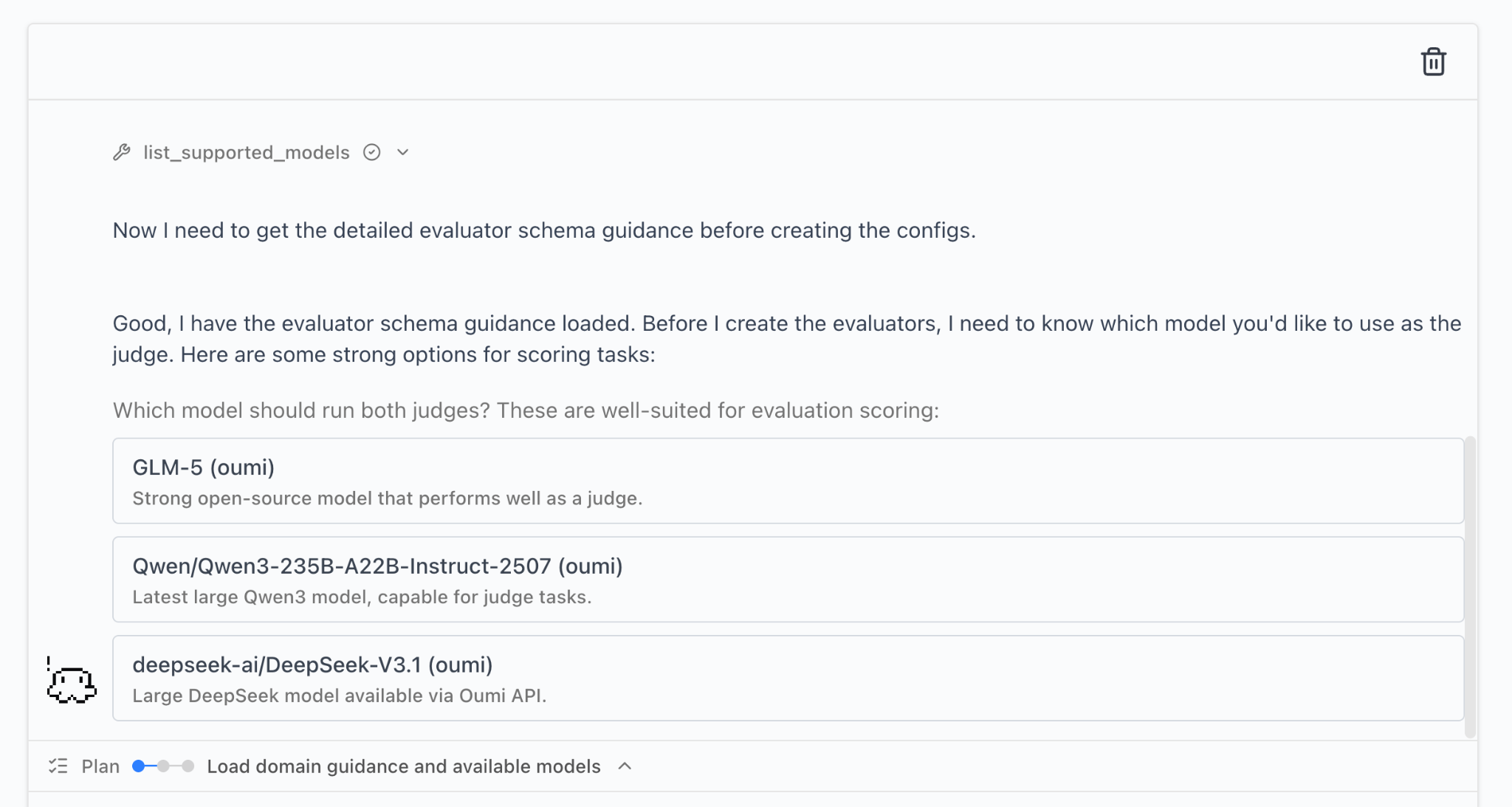
I have included the exact LLM-as-a-Judge prompts created by the Oumi Agent in the project’s GitHub repo. Importantly, we were able to define detailed, comprehensive LLM-as-a-Judge evaluation metrics with just the details of the task and dataset.
Discussion
Now, with the datasets, evaluators, and models on hand, we can run our experiments. I omit a description of how to run the experiments: it is either a straightforward prompt in the Oumi Agent, as we did above for evaluations, or a few clicks in the Oumi Platform’s intuitive web interface.
Oumi-trained SLM beats GPT-5.4 by 6.3% and Opus-4.6 by 8.4% in accuracy
Here are the 0-shot classification accuracy and validity on the Banking77 benchmark:
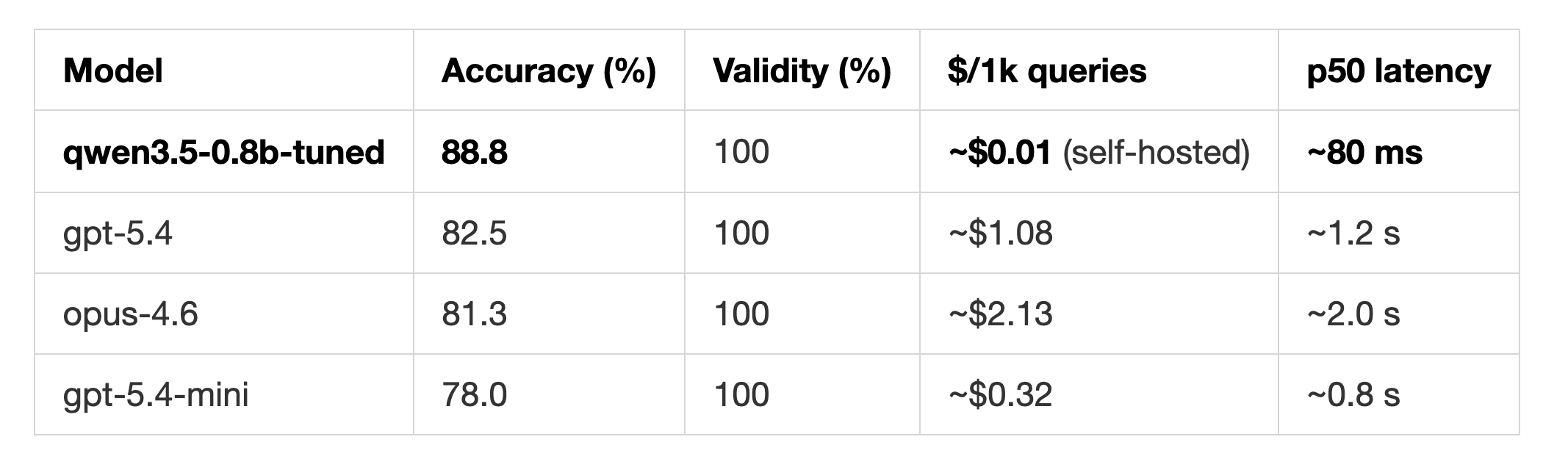
What this shows is that a small fine-tuned model greatly outperforms frontier LLMs on specific tasks. It took 1h 8m to perform a full-weight fine-tuning of Qwen3.5-0.8B on the Oumi Platform, at a negligible cost.
The result comparing in-context learning with fine-tuning were given in the post’s title image. In this case, the effects of in-context learning are negligible compared to fine-tuning, and in-context learning appears to degrade performance of Haiku-4.5.
There is a trade-off between model size and cost for fine-tuned models
Results comparing accuracy for fine-tuned Qwen3.5 0.8B, 2B, 4B, and 9B as well as a BERT based encoder model will appear in Part 2 of this post.
Deployment
A model isn’t very useful, of course, unless it is run as part of an application or product.
In Part 2 of this article, we’ll build a local text-based chatbot using our fine-tuned model for customer support. Then, we’ll show an example of connecting the model to a cloud-based voice agent implemented with Pipecat, which is an industry standard for telephony-based customer support systems. Pipecat has integrations with Twilio, Telnyx, Plivo, and Exotel for telephony—it is truly production-grade.
Afterwards, we’ll build a locally running voice agent that uses Mistral’s Voxtral models for realtime (i.e. streaming) speech-to-text and text-to-speech using a newly developed library for locally running agent tools. Mistral’s models for speech are open-weight and can be run locally on modest hardware, in my case on an M3 Macbook. Such an AI voice agent could easily run on a smartphone.
Summary
In this blog post, we literally started with just a description of a task we wanted to solve and a dataset for that purpose and we finished with a SoTA classifier for triaging customer support queries, which, as we will show in Part 2, could be part of an in-production enterprise solution. And we did this by only clicking and prompting the tools at our disposal, the Oumi Platform and Claude Code. We ended up with an open-weight model that we could download and fully control, removing vendor lock-in.
The Oumi platform made it easy and quick to develop the custom model required by our application, while drastically reducing development costs. But this is just one application (we’ll be discussing plenty more in the coming weeks).
Why not give it a try and build something yourself? Oumi is offering $50 in free credits for the Oumi Platform.
May the vibes be with you!
Resources
Project code:
Hack with Oumi: SLMs for Voice Agents (example deploying Oumi-built model locally with Pipecat)
Banking77 dataset:
Other libraries: